
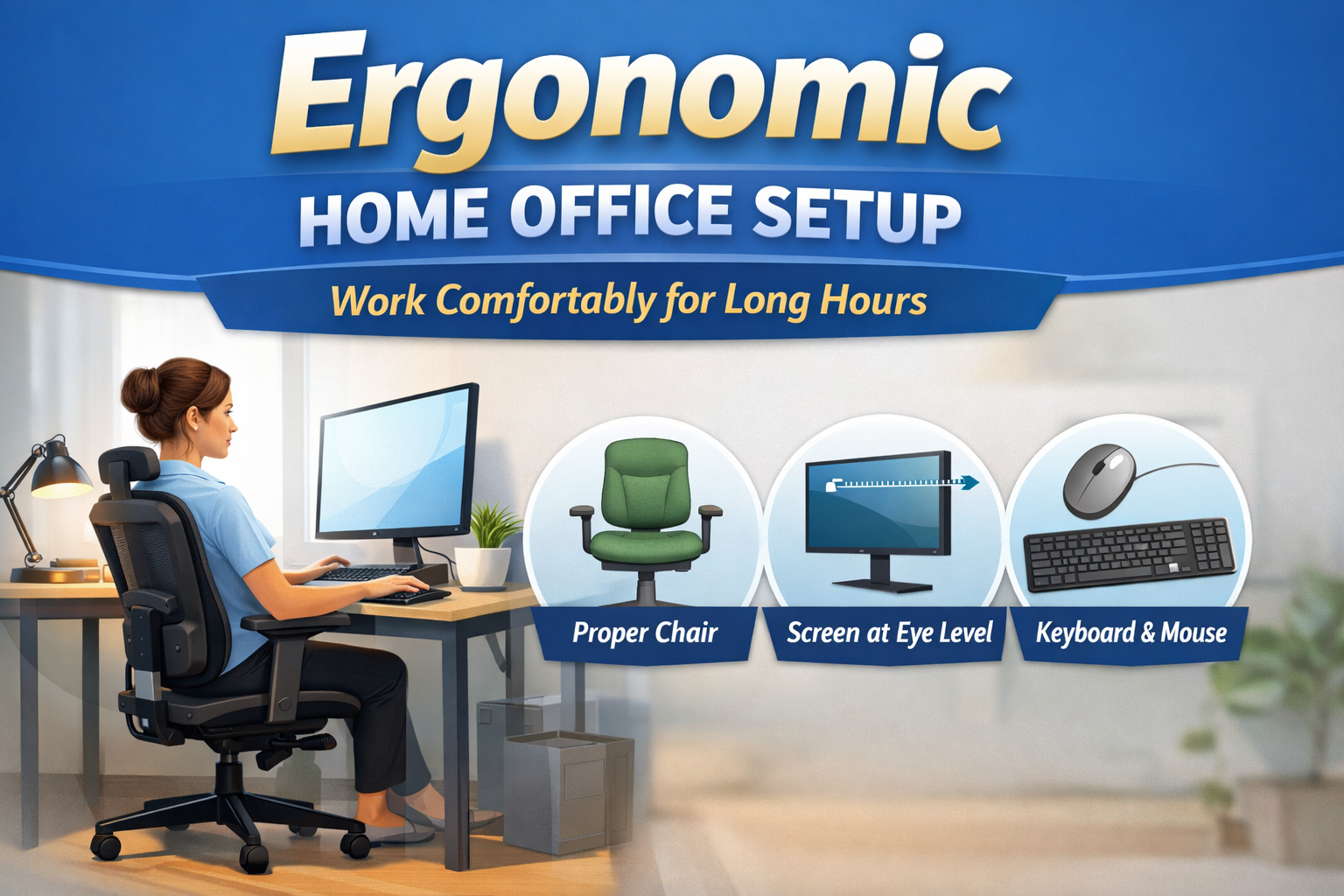
With the growing popularity of remote work and people spending extended hours in front of desks at home. While working from home gives you flexibility, it comes with hidden costs: back pain, neck stiffness, eye strain, and productivity loss. A properly designed ergonomic home office setup is essential to prevent these issues and maintain both comfort and focus.
Ergonomics allows your chair, desk, monitor, keyboard, and overall workspace to support your body and prevent fatigue and the potential for long-term musculoskeletal problems. This is a common-sense guide to not only show you how to create a comfortable, efficient, and healthy home office for working long hours.
What Is an Ergonomic Home Office Setup?
An ergonomic home office setup is a workspace that is designed to work with your body’s natural posture rather than having to force your body to compensate for the architecture of the furniture. It’s all about getting your chair, desk, monitor, keyboard, and lighting to match your body in a way that will reduce strain and maximize comfort.
The chance to minimize fatigue, avoid musculoskeletal problems, and preserve productivity during extended hours of work. A well-thought-out ergonomic setup enables you to sit, type, and move efficiently, while keeping your joints, muscles, and vision in a neutral and stress-free position. Investing time in a proper setup in the beginning can make a big difference in both short-term comfort and long-term health.
Why Ergonomics Matters for Long Work Hours
Spending prolonged periods of time at a desk without adequate support may cause back pain, neck stiffness, wrist pain, and eye strain. Over the long term, poor posture and repetitive strain can lead to long-term musculoskeletal issues and lower productivity. An ergonomic home office setup tackles these risks by supporting your body more naturally while encouraging circulation and dissipating any unnecessary tension.
Beyond the physical benefits, ergonomics also enhances focus, energy levels, and efficiency so that you can work longer without discomfort. For remote workers, freelancers, and professionals, ergonomics is a key priority to maintain both health and performance in a challenging work-from-home setting.
Choosing the Right Chair
The chair is the key to any ergonomic home office. Investing in a chair that can support your spine and promote proper posture is critical. When looking at a chair, pay attention to:
- Adjustability, in particular, seat height and backrest angle
- Lumbar support to maintain your normal curve
- Comfortable armrests that allow elbows to remain at a 90-degree angle
- Breathable material so that you can be comfortable for long hours
Avoid sitting on dining chairs or sofas for too many hours of work, as they do not provide a proper posture for your body.
Desk Height and Workspace Layout
The height and layout of your desk have a direct impact on your posture and comfort. Your desk should be such that your forearms rest parallel to the floor with the wrists in a neutral position and the legs in a comfortable position without any pressure. Keep commonly used items in front of you to prevent repetitive stretching or twisting.
If your desk is too high or too low, consider getting an adjustable desk or keyboard tray. Organizing your workspace in an efficient way will reduce strain and make it easier to complete tasks. A well-thought-out desk layout, along with the right height, is a major factor in creating a productive, ergonomic work environment for long work sessions.
Monitor Placement for Neck and Eye Comfort
Correct monitor placement helps to avoid neck strain and eyestrain. The top of your screen should be at or slightly below eye level, around 20-30 inches from your eyes, to allow for you to have a neutral head position. Do not tip your head up and down while working.
For dual monitors, position the primary monitor directly in front of you and position the secondary monitor at a slight angle for easy viewing. Good placement of the monitor helps reduce tension in the neck, shoulders, and eyes to help you maintain your comfort and focus. Small changes in screen height and distance will make a significant difference to long-term ergonomic health.
Keyboard and Mouse Positioning
Proper keyboard and mouse placement is very important so that strain on the wrists and hands can be avoided. Your keyboard should be at elbow height, your wrists should be kept straight, and you should not rest your wrists on hard surfaces when typing. Keep the mouse close to the keyboard to reduce reaching and find one that is comfortable for your hand.
Laptop users benefit from the use of an external keyboard and mouse to allow their wrists to remain in neutral positions. Thoughtful input device placement will help to alleviate repetitive strain and promote more efficient typing for comfort as well as productivity during long hours at a home office.
Lighting and Screen Glare
Proper lighting helps to protect your eyes and focus them. Whenever possible, use natural light in an indirect manner, and never place your monitor right in front of windows where it will be glared upon. Adjustable desk lamps help light up any single task without blinding your eyes.
Blinds, matte screens or diffused lighting can help to reduce reflections on your monitor. Proper lighting helps prevent eye fatigue and headaches, and it’s easier to remain focused on work for long periods. Investing in good lighting is a simple but very effective part of an ergonomic home office setup.
Sitting Posture and Foot Support
For your comfort and long-term health, it is important to maintain good posture. Knees at or just below hip level – Keep your feet flat on the floor or supported by a footrest. Make sure your back is fully supported by your chair, and make sure your shoulders are relaxed.
Small changes, such as lumbar cushions or footrests, can help to improve circulation and pressure on joints. A conscious focus on posture takes strain off the spine, neck and legs results in the ability to work longer without discomfort and the protection of your body over time.
Movement and Breaks
Even the most ideal ergonomic setup can never take the place of regularly being active. After every 30-60 minutes, take small breaks to stretch your neck, shoulders, wrists, and back. Alternating between sitting and standing, where possible, encourages circulation and allows for less fatigue.
Incorporating micro-breaks, stretches, or even a walk is good to keep your muscles working and also to prevent them from becoming stiff. Combining good workspace design with a high frequency of movement ensures that your ergonomic home office setup promotes comfort and long-term health.
Common Mistakes to Avoid
Even with ergonomic equipment, some habits can make its use less effective. Avoid working from the bed or on a couch, not considering the monitor height, sitting for a long time without a break, and using non-adjustable chairs.
Overlooking these things can lead to discomfort, strain, and lessened productivity. Being aware of these common mistakes, you can ensure that your ergonomic routine is maintained and that you get the most out of your home office setup, keeping your body and mind in top shape.
Budget-Friendly Ergonomic Tips
You do not need expensive furniture to create a workspace that is ergonomic. Simple adjustments such as raising the height of your monitor with books, using a lumbar cushion, or using an external keyboard for your laptop, can go a long way.
Footrests, monitor risers and desk organizers can be inexpensive solutions to enhance posture and comfort. Over the course of time, incremental improvements transform what might be a rudimentary home office into a healthy and efficient work environment that encourages one to work long hours without maxing out the budget.
Conclusion
Creating an ergonomic home office setup is essential for anyone who needs to spend long periods of time working from home. Proper chair selection, desk height, monitor placement, keyboard and mouse placement, lighting, and posture all play a role in determining how comfortable, productive, and healthy you remain in the long run.
Coupled with regular movement and taking short breaks, these adjustments help in reducing fatigue, preventing musculoskeletal strain, and helps with mental focus. Even small changes that are easy on the bank account can make a big difference. By making small changes to your work environment and becoming more conscious of your work habits, you can turn your home office into a good environment for you to work efficiently, comfortably and safely for longer periods of time.
FAQs
What is an ergonomic home office setup?
An ergonomic home office setup is an office space designed to accommodate your body’s natural posture. It is focused on the correct support of the chair, height of the desk, monitor position, and keyboard positioning to reduce strain and enhance comfort while working long hours.
How long can I safely work in a home office?
Even when using an ergonomic home office setup, breaks are recommended every 30-60 minutes. Short stretches, walking, or posture changes help avoid fatigue, improve circulation, and lessen the risk of musculoskeletal discomfort.
Can I make an ergonomic home office setup on a budget?
Yes. Simple, low-cost adjustments like adding a lumbar cushion, elevating the monitor with books, or using an external keyboard and mouse can make a functional ergonomic workspace without having to spend a lot of money.
How should I position my keyboard and mouse?
Your keyboard needs to be up to elbow level, with wrists straight and relaxed. The mouse should be close to the keyboard in order to minimize reaching. Laptop users prefer external keyboards and mice for better ergonomics.
What are common mistakes to avoid in a home office setup?
Do not work from beds or couches, ignore the height of the monitor, and sit for prolonged periods without breaks. The use of non-adjustable chairs and failure to pay attention to posture can cause strain and long-term discomfort.