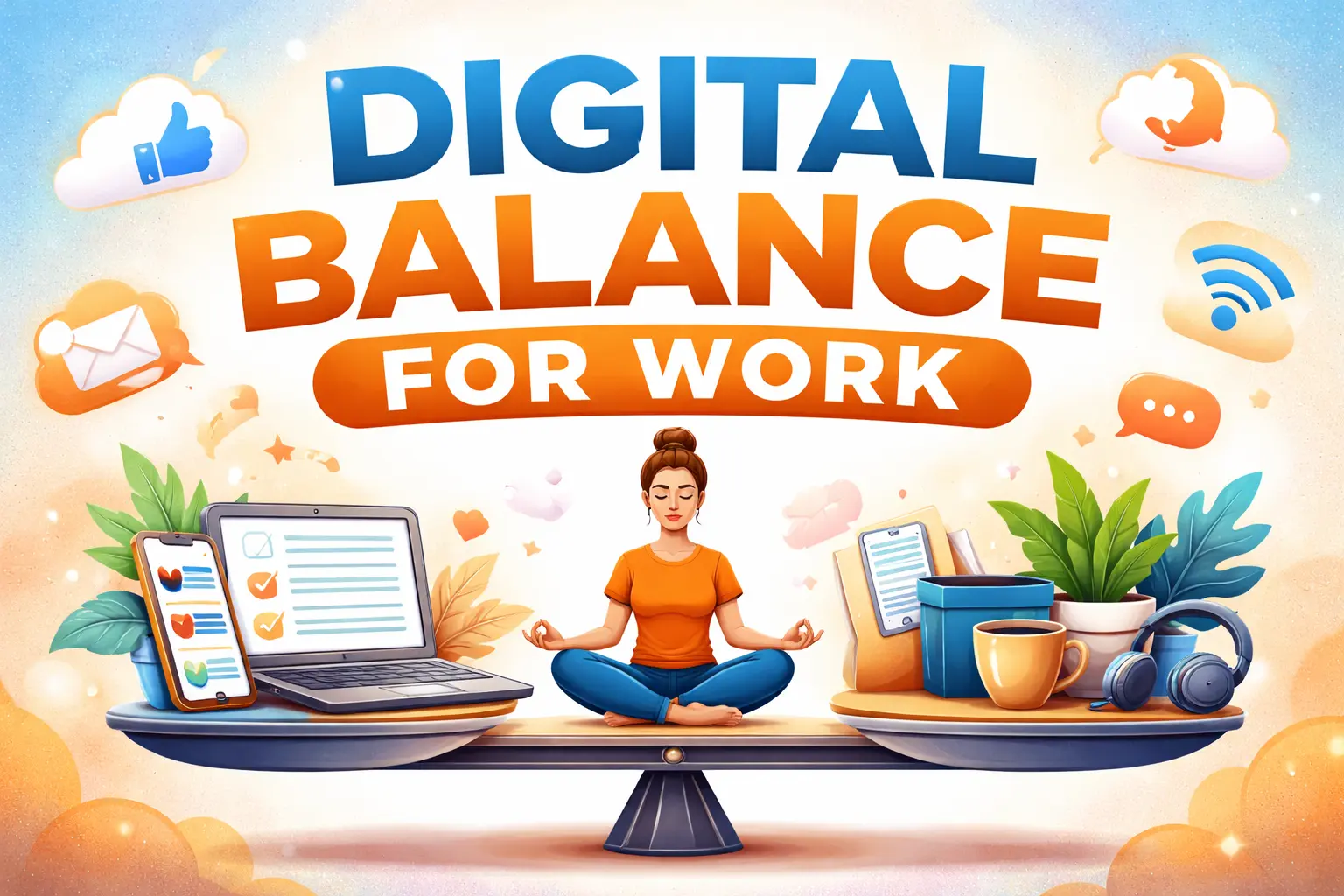
Remote work has changed the way we look at productivity; however, it has also blurred the lines between professional and personal life. Constant connectivity, endless notifications, and extended screen time make it difficult to maintain a healthy digital balance for work. Without clear boundaries, many professionals suffer burnout, lack of focus, and poor work quality.
Digital balance does not mean disconnecting completely; it means using technology purposefully and with control. In the far-off era of long time, balance is the key to maintaining the performance to keep it active, security of the mind, and long-term career development. This article explores practical, proven strategies that help remote workers build a digital balance for work realistically and effectively.
Understanding Digital Balance in a Remote Work Environment
Understanding digital balance in a remote work environment begins with understanding how constant connectivity is impacting daily work. Digital balance for work is the ability to use technology efficiently without allowing it to dominate attention, time, or mental energy. Remote workers are dependent on digital tools for communication, collaboration, and task management, which can easily become overwhelming if not managed carefully.
True balance is not minimizing productivity but enhancing it by reducing the unnecessary digital noise. When employees have control over when and how they interact with digital platforms, they help them stay focused and avoid stress to create a healthier and more sustainable remote work routine.
Common Digital Imbalance Problems Remote Workers Face
Remote workers have a hard time with digital imbalance because of being constantly available online and blurred work boundaries. Multiple communication platforms lead to notification overload and thereby make it hard to focus on meaningful tasks. Prolonged screen time with no breaks results in eyestrain, fatigue, and lack of concentration.
Many professionals also struggle to unplug once work hours are over, leading to mental exhaustion and burnout. Multitasking between emails, messages, and virtual meetings only lowers efficiency and adds to the stress. Without distinct digital boundaries, workdays can drag on for longer than planned, which has a negative impact on productivity, well-being, and overall job satisfaction in a remote work environment.
How Poor Digital Balance Affects Work Performance
Poor digital balance for work directly impacts performance by reducing focus and mental clarity. Constant interruptions from emails, messages, and notifications cause the concentration to break, and also make it difficult to get the tasks completed efficiently. Over time, this causes decision fatigue, slower work output, and a higher risk for errors.
Excessive exposure to screens is also a contributing factor to physical and mental exhaustion, which reduces motivation and creativity. When people work beyond scheduled hours, their recovery time is reduced, and they are more likely to experience burnout. As a result, the quality of communication deteriorates, productivity decreases, and performance over the long term is negatively affected, making digital balance a key factor in maintaining consistent and high-quality remote work.
Best Practices to Build Digital Balance for Work
Building digital balance for work requires intentional strategies that help remote professionals stay productive while protecting their well-being. Digital balance is not about disconnecting completely but using technology in a controlled, purposeful way. By establishing routines and boundaries, remote workers can avoid distractions, minimize stress, and stay focused throughout the day.
Key practices to achieve digital balance include:
- Set Clear Work Hours: Define start and end times for work and communicate them to your team.
- Prioritize Tasks: Focus on high-impact tasks first, using task lists or productivity apps.
- Limit Digital Interruptions: Turn off non-essential notifications and designate specific times for checking messages or emails.
- Schedule Breaks: Take regular short breaks away from screens to recharge energy and reduce eye strain.
- Use Technology Intentionally: Choose tools that enhance productivity rather than overwhelm with multiple apps or platforms.
- Review Digital Habits: Assess weekly how digital tools affect your workflow and adjust routines as needed.
By integrating these practical steps with consistent practices, remote professionals can create a sustainable balance between digital demands and personal well-being, ultimately enhancing productivity, focus, and long-term work satisfaction.
Managing Notifications and Digital Distractions Effectively
Managing notifications and digital distractions is essential for maintaining digital balance for work. Remote workers should first decide what alerts are essential and which are not, and disable the non-essential notifications. Organizing communication tools by priorities helps to avoid constant interruptions throughout the day. Using focus modes or scheduled “do not disturb” times helps to have uninterrupted time for important tasks.
Reducing unnecessary meetings and promoting asynchronous communication is also an aid to better concentration. When notifications are controlled rather than constantly checked, attention is improved, stress levels are reduced, and overall productivity becomes more consistent. Effective notification management helps professionals to be responsive without compromising attention and work quality.
Designing a Healthy Remote Work Setup
Designing a healthy remote work setup plays a key role in maintaining digital balance for work. A dedicated workspace is useful in establishing clear mental boundaries between professional and personal life. Proper ergonomics, such as a comfortable chair and screen height, help reduce physical strain during long work hours.
Managing the screen brightness and exposure to blue light is beneficial for eye health and to prevent fatigue. Incorporating short movement and stretch breaks throughout the day: better circulation and focus. Setting up a well-organized environment that avoids distraction will encourage more concentration, support productivity, and help remote workers maintain physical comfort and long-term digital health.
Establishing Clear Work–Life Digital Boundaries
Establishing clear work–life digital boundaries is crucial for sustaining digital balance for work. Remote professionals should set clear boundaries around the start and end times of their workday and communicate these boundaries to colleagues or clients. Separating personal and professional devices or accounts helps to avoid the overlap and minimizes distraction.
Not checking emails or messages after hours helps the mind to recharge, focus, and be productive during working hours. Creating daily shutdown routines, such as turning off notifications and closing work-related apps, reinforces these boundaries. Consistently applying these practices ensures that mental wellness is protected, burnout is avoided, and it also guarantees a healthy and sustainable approach to remote work.
Tools That Support Digital Balance for Work
Several tools can help remote workers maintain digital balance for work when used intentionally. Task management apps, such as Trello, Asana, or Notion, can be used to organize responsibilities and prioritize tasks, reducing the amount of mental clutter. Calendar-blocking tools help schedule focused work periods, as well as prevent overcommitment.
Time tracking apps can be used to raise awareness of the ways digital tools are being used and where improvements can be made. “Do not disturb” or focus mode in communication apps reduces interruptions during deep work. Screen time monitoring tools allow for healthy breaks and avoid overuse. Exploring a handful of critical, well-integrated tools rather than a variety of platforms ensures productivity without overexposure to digital tools.
Long-Term Habits for Sustainable Digital Balance
Developing long-term habits is essential for sustaining digital balance for work in a remote environment. Regularly reviewing digital routines helps to identify areas of overload and allows adjustment before burnout occurs. Scheduling routine work times, rest times, and focused work time creates predictable patterns that help with productivity and well-being.
Practicing intentional use of technology, such as refocusing on meaningful tasks instead of constantly checking notifications, reinforces healthy boundaries. Incorporating movement, offline activities, and time away from the screen to keep the energy and clarity in the mind. Over the long term, these habits form a sustainable strategy for remote work that will lead to improved focus, reduced stress, and promote long-term professional performance and personal well-being.
Conclusion
Achieving digital balance for work in the remote era is not about rejecting technology but learning to manage it responsibly. When digital tools are applied with boundaries and purpose, they drive productivity forward, rather than sapping energy. Small changes, including managing notifications, setting work-hour limits, and prioritizing focused work, can lead to significant improvements over time.
Digital balance is a continual practice that concurrently shifts and develops in relation to workload, responsibilities, and work environments. As a remote professional, by making sustainable lifestyle choices and revisiting these regularly, we can help protect our well-being, enhance the quality of our work, and foster a healthier, more productive relationship with technology that will support our success in the long term.
FAQs
What is digital balance for work?
Digital balance for work is the practice of using technology intentionally to maximize productivity while preventing burnout, distraction, and over connectivity. It means managing screen time, notifications, and work routines to stay focused and healthy.
Why is digital balance important for remote workers?
Remote work can be a blur between one’s personal and professional life. Without digital balance, workers are at risk of fatigue, lack of focus, and burnout. Maintaining balance helps improve efficiency, mental clarity, and overall job satisfaction.
How can I reduce digital distractions while working remotely?
Some important strategies include turning off the notifications of non-essential messages, using “do not disturb” modes, scheduling periods for focused work, limiting unnecessary meetings, and prioritizing important tasks.
What tools help maintain digital balance for work?
Task management apps such as Trello or Notion, calendar blocking tools, focus mode tools, time tracking apps, and screen time tracking tools help to support intentional and productive technology use.
Can digital balance improve productivity?
Yes. By minimizing distractions, managing notifications, and focusing on the task at hand, digital balance enables remote professionals to get things done more effectively, make better decisions, and maintain energy throughout the day.